

Model Configuration
Nexu supports two model integration paths: Nexu Official (managed models, sign in and go) and BYOK (Bring Your Own Key). You can switch between them at any time without affecting existing conversations or channel connections.
Step 1: Open Settings
Click Settings in the left sidebar of the Nexu client to open the AI Model Providers configuration page.
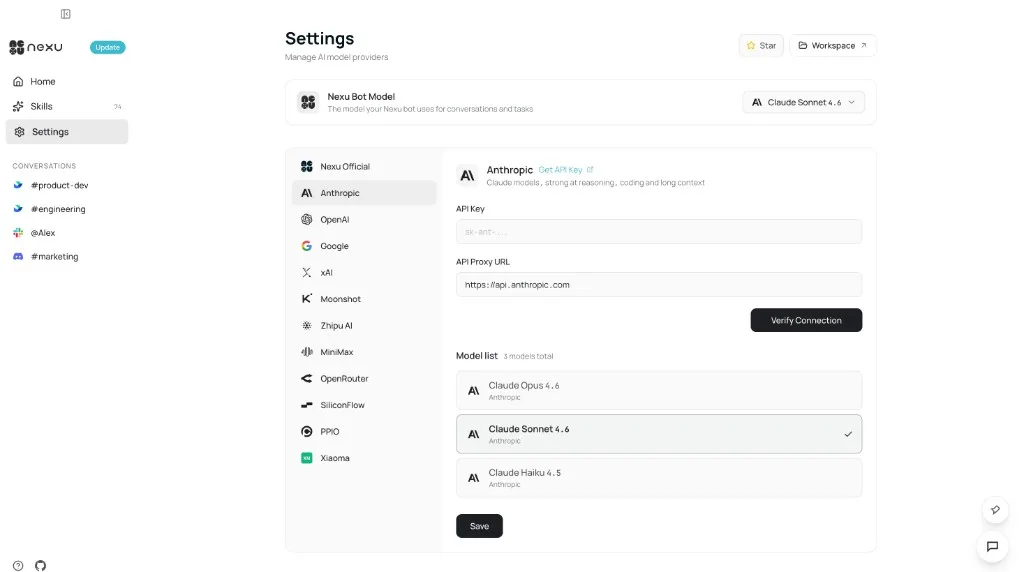
Step 2: Choose an Integration Mode
Option A — Nexu Official (Recommended)
Select Nexu Official from the provider list on the left, then click Sign in to Nexu to authenticate.
Once signed in, no API key is needed — models like Claude Sonnet 4.6, Claude Opus 4.6, and Claude Haiku 4.5 are available immediately.
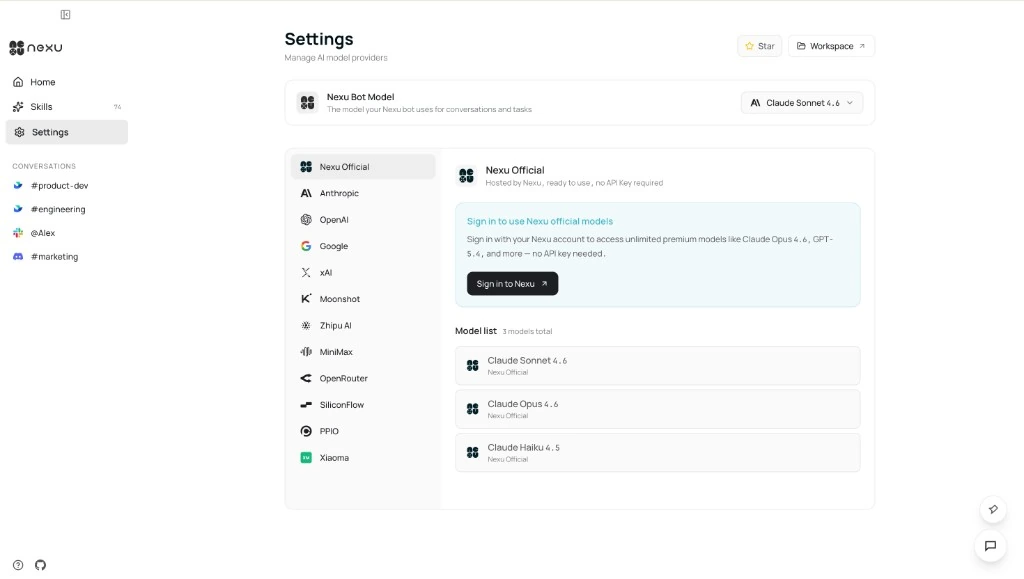
Option B — Bring Your Own Key (BYOK)
Select Anthropic, OpenAI, Google AI, or another provider from the list:
- Paste your key in the API Key field.
- Modify the API Proxy URL if you need a custom proxy.
- Click Save — Nexu will automatically verify the key and load the available model list.
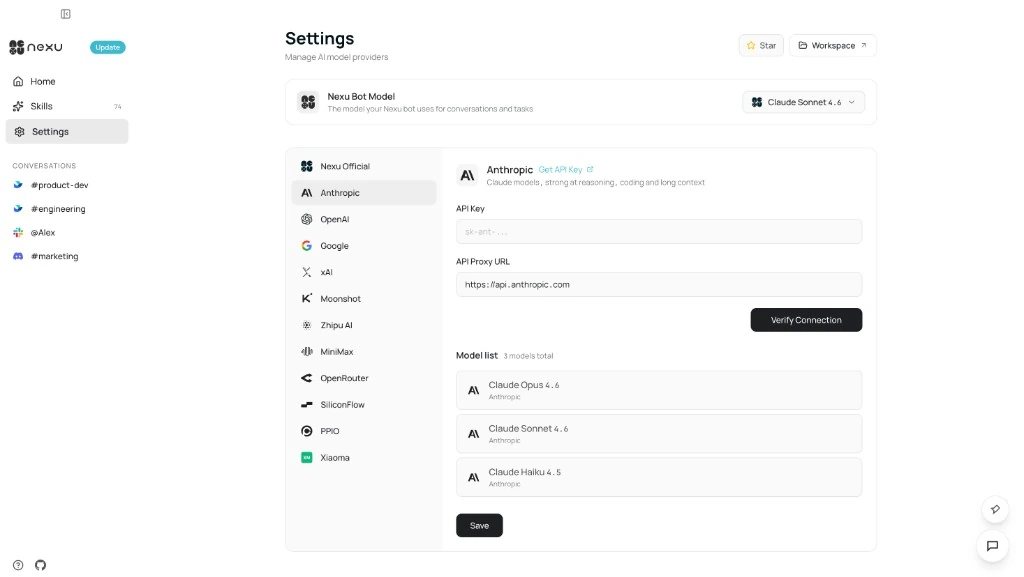
Step 3: Select the Active Model
After a successful connection, use the Nexu Bot Model dropdown at the top of the Settings page to choose the model your Agent will use. You can switch across providers at any time.
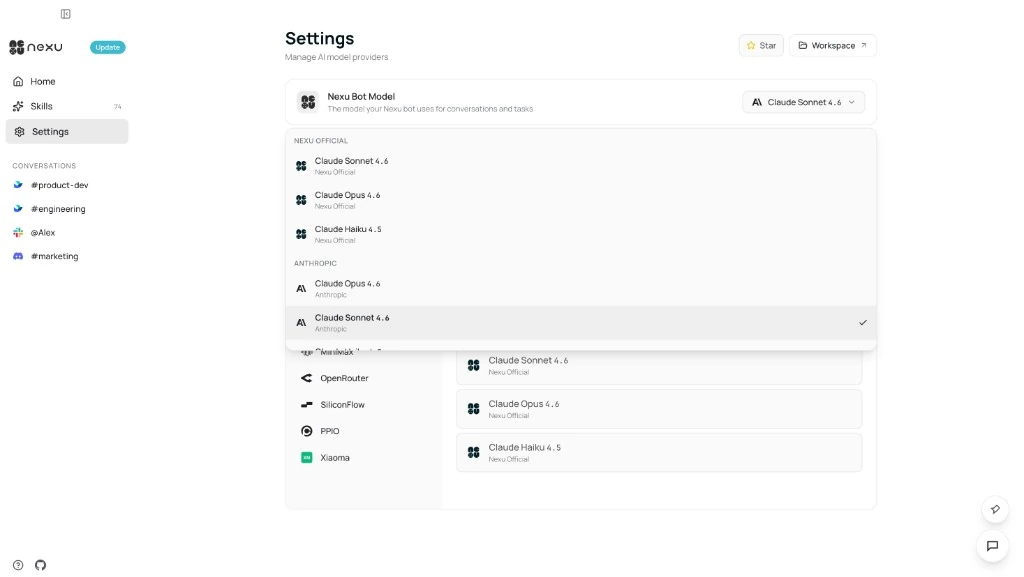
Supported Providers
| Provider | Default Base URL | Key Format |
|---|---|---|
| Anthropic | https://api.anthropic.com | sk-ant-... |
| OpenAI | https://api.openai.com/v1 | sk-... |
| Google AI | https://generativelanguage.googleapis.com/v1beta | AIza... |
| xAI | https://api.x.ai/v1 | xai-... |
Best Practices
- Use least-privilege API keys to minimize unnecessary access scope.
- Never expose keys in screenshots, support tickets, or git history.
- When adding a BYOK provider, click Verify Connection first to confirm connectivity before saving.
FAQ
Q: Which mode should I start with?
We recommend Nexu Official — just sign in and high-quality models are ready to use with zero configuration.
Q: Can I configure multiple BYOK providers at the same time?
Yes. Anthropic, OpenAI, Google AI, and others can be configured independently. Switch between them anytime via the Nexu Bot Model dropdown.
Q: Are API keys uploaded to Nexu servers?
No. API keys are stored exclusively on your local device and are never transmitted to Nexu servers.