

Discord
All you need is an Application ID and a Bot Token to connect your Discord bot to nexu.
Step 1: Create a Discord application
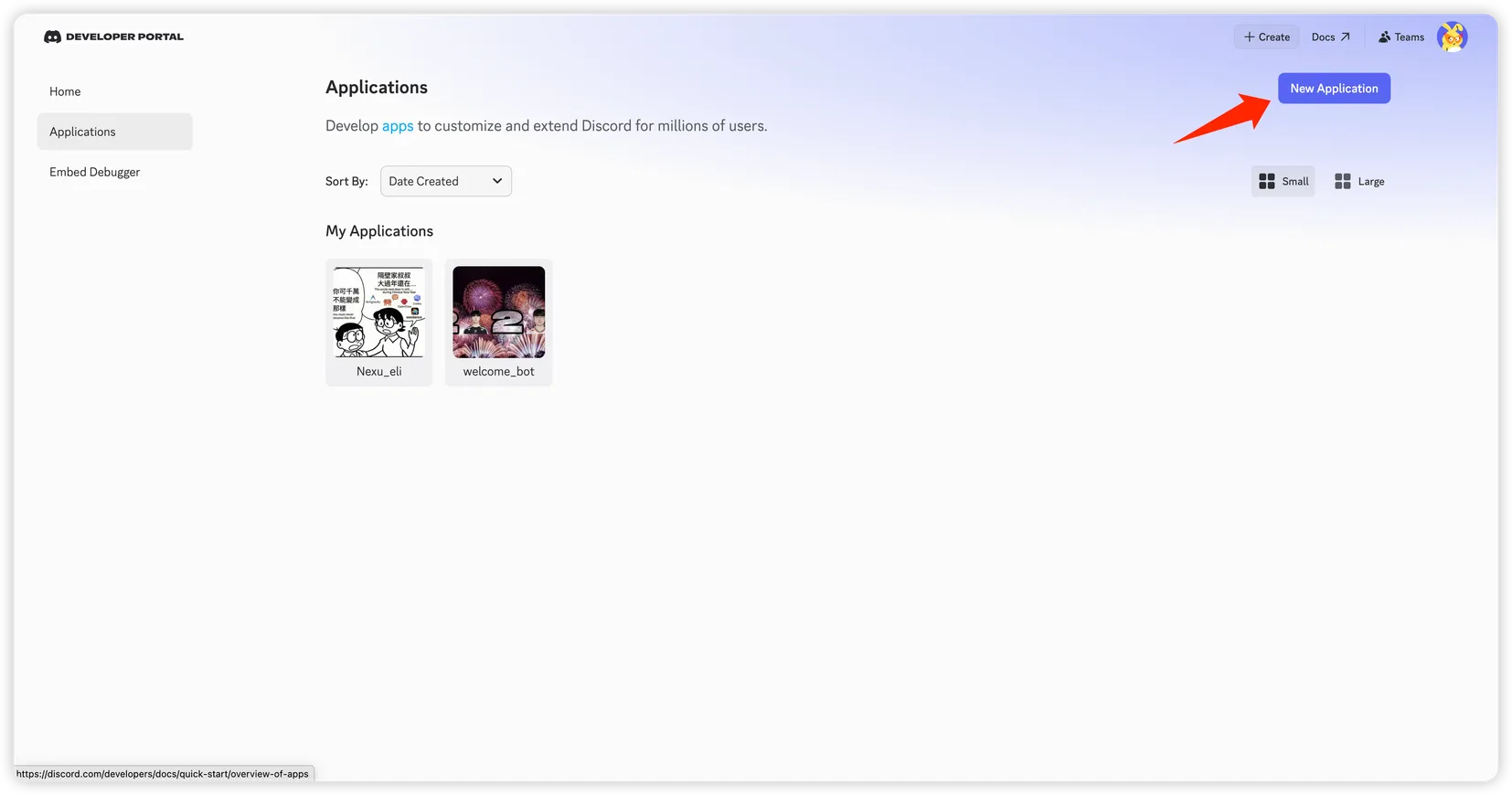
- Go to the Discord Developer Portal and click "New Application".
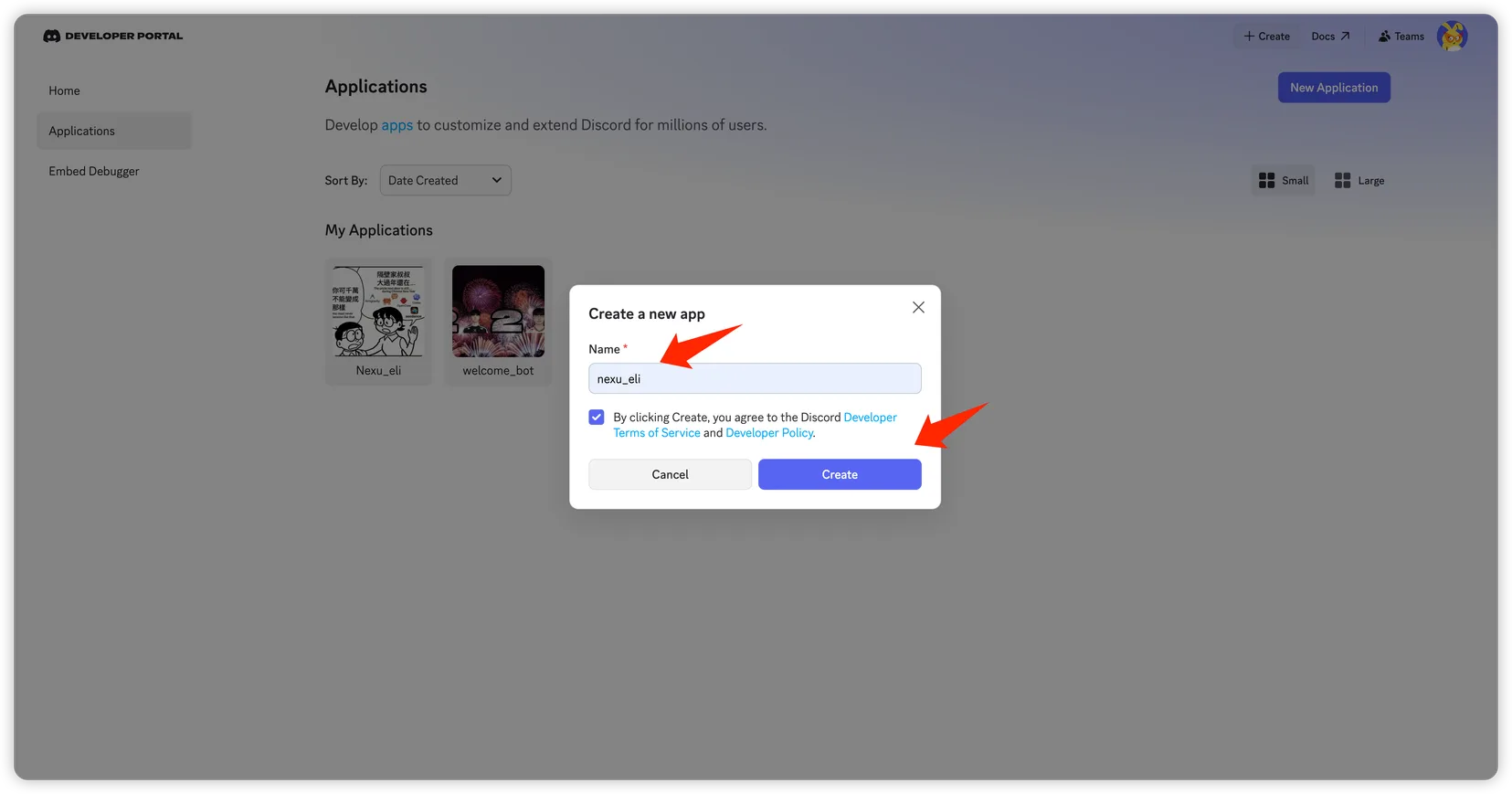
- Enter the application name and click "Create".
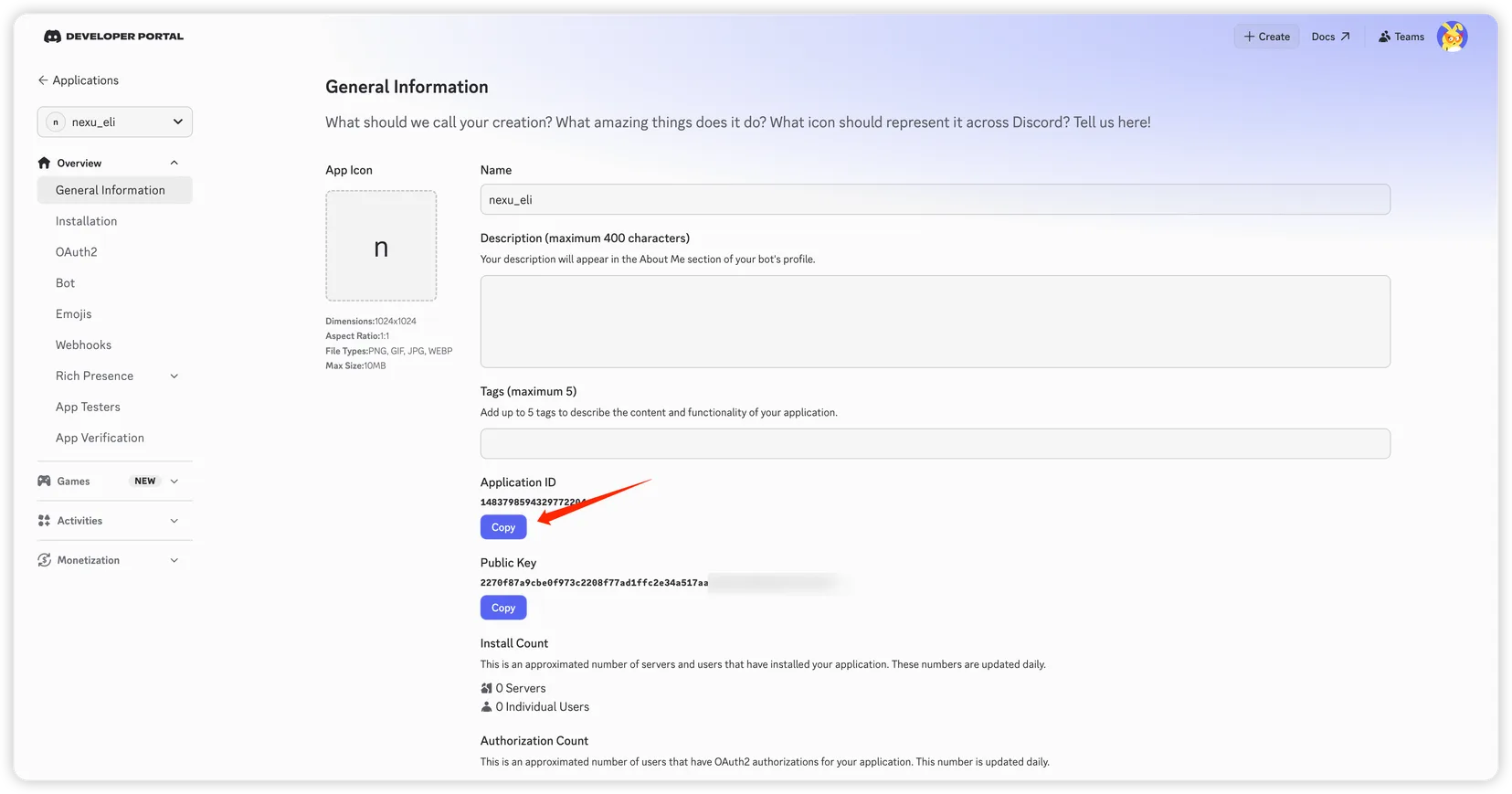
- On the "General Information" page, copy and save:
- Application ID
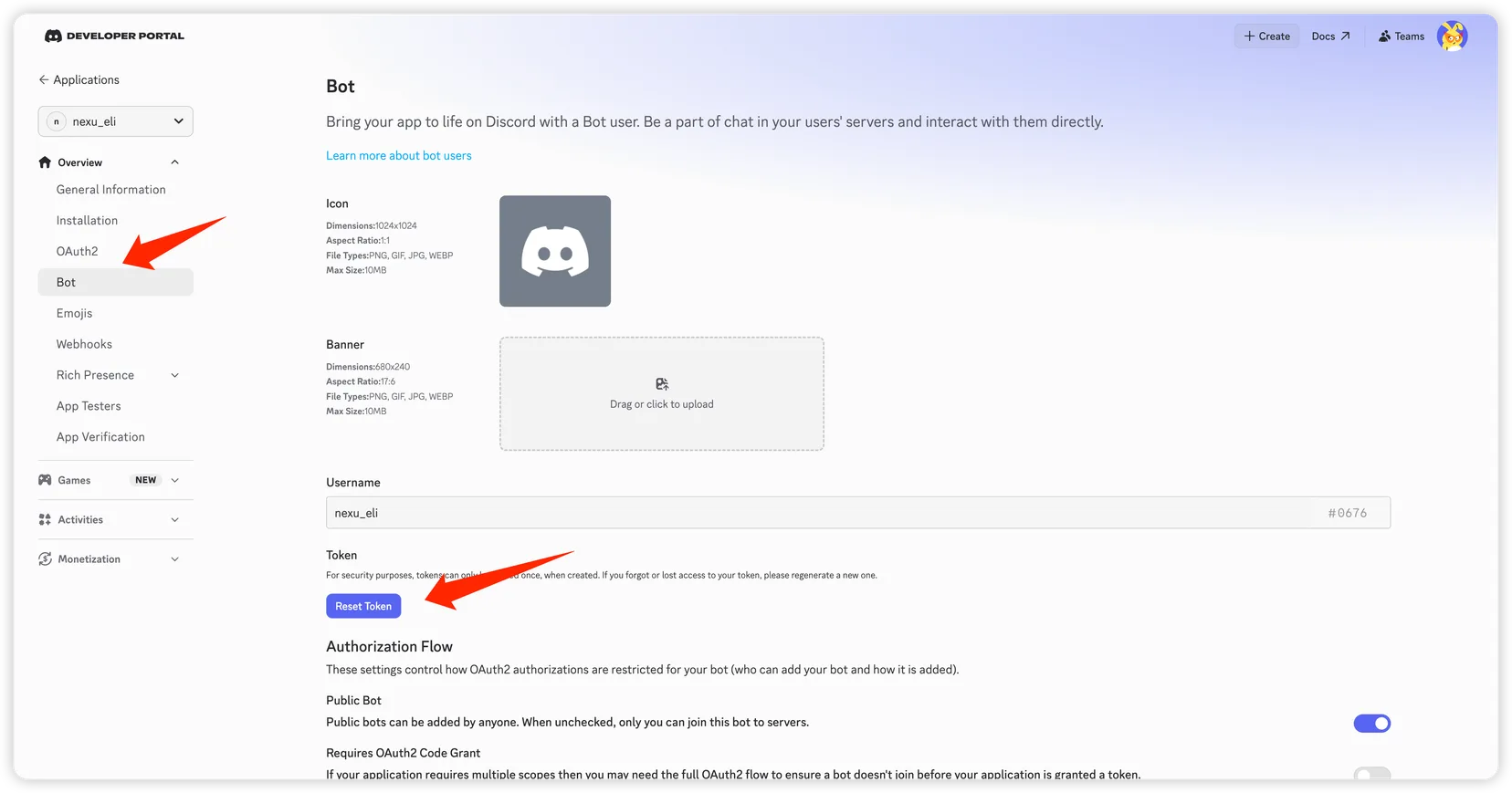
- In the left menu, go to "Bot", click "Reset Token" to generate a Bot Token, and copy it:
- Bot Token
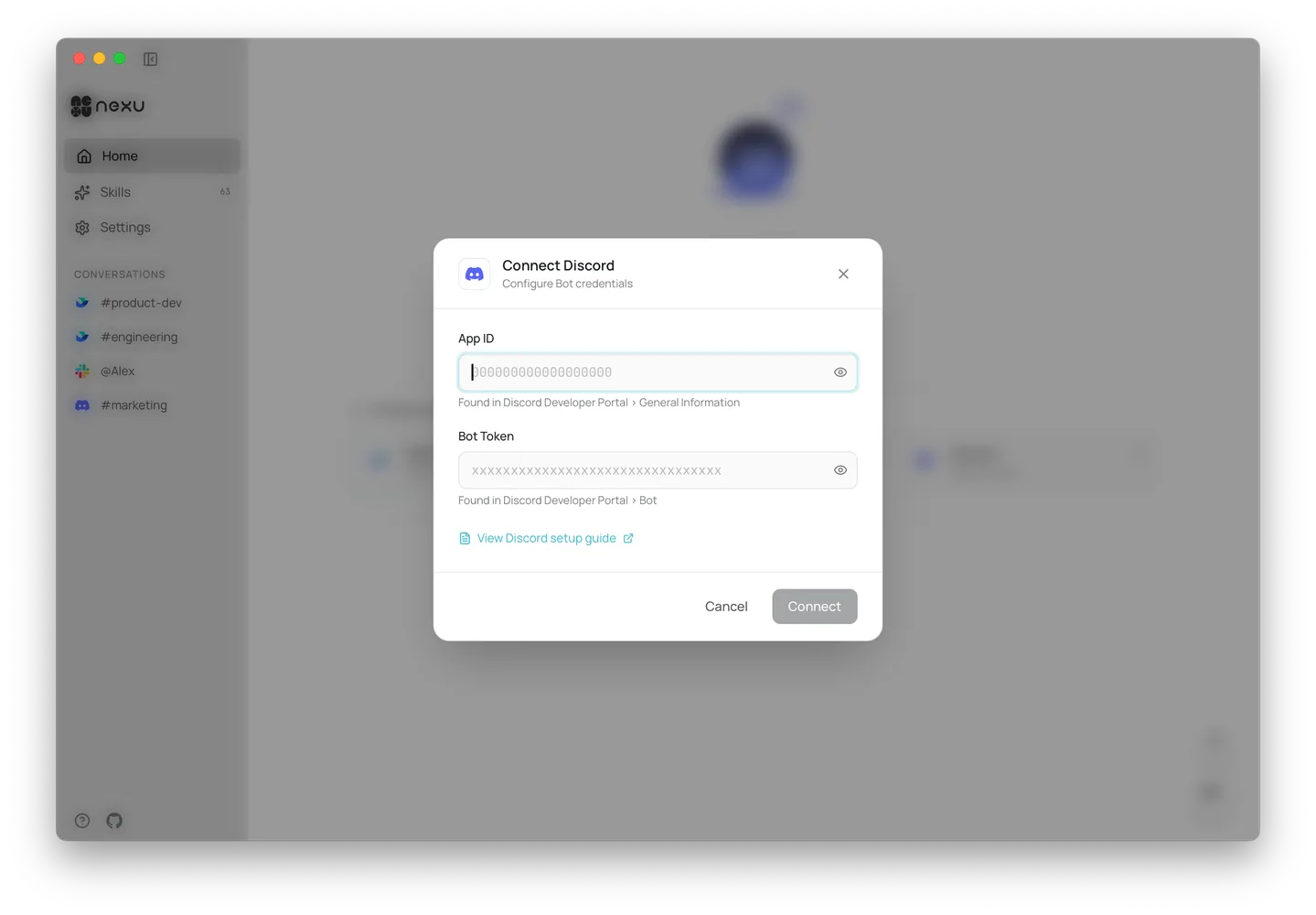
Step 2: Add credentials to nexu
Open the nexu client, enter the App ID and Bot Token in the Discord channel settings, and click "Connect".
Step 3: Configure permissions and invite the bot
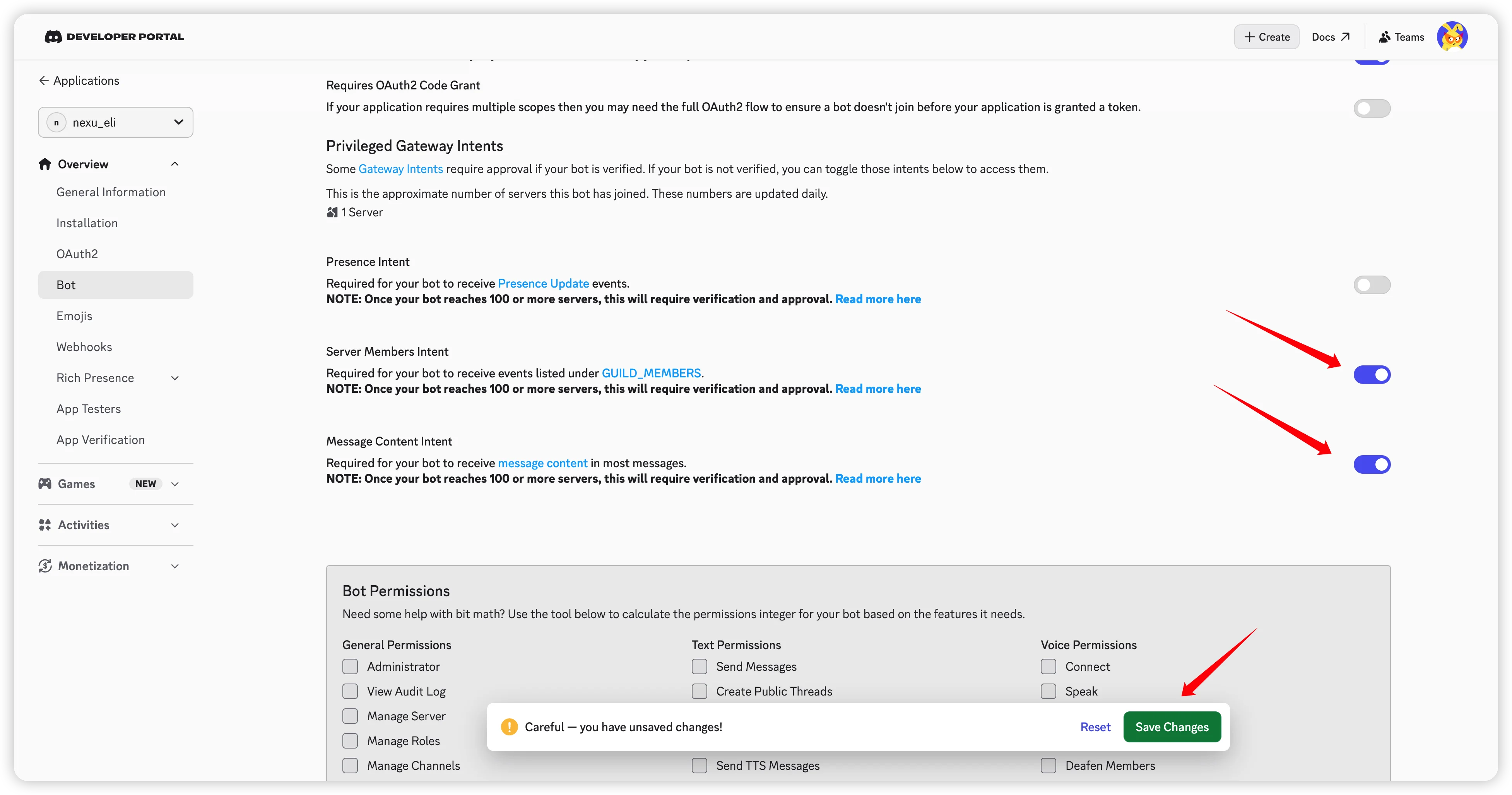
- Back in the Discord Developer Portal, on the "Bot" page, enable the following Privileged Gateway Intents:
- Message Content Intent
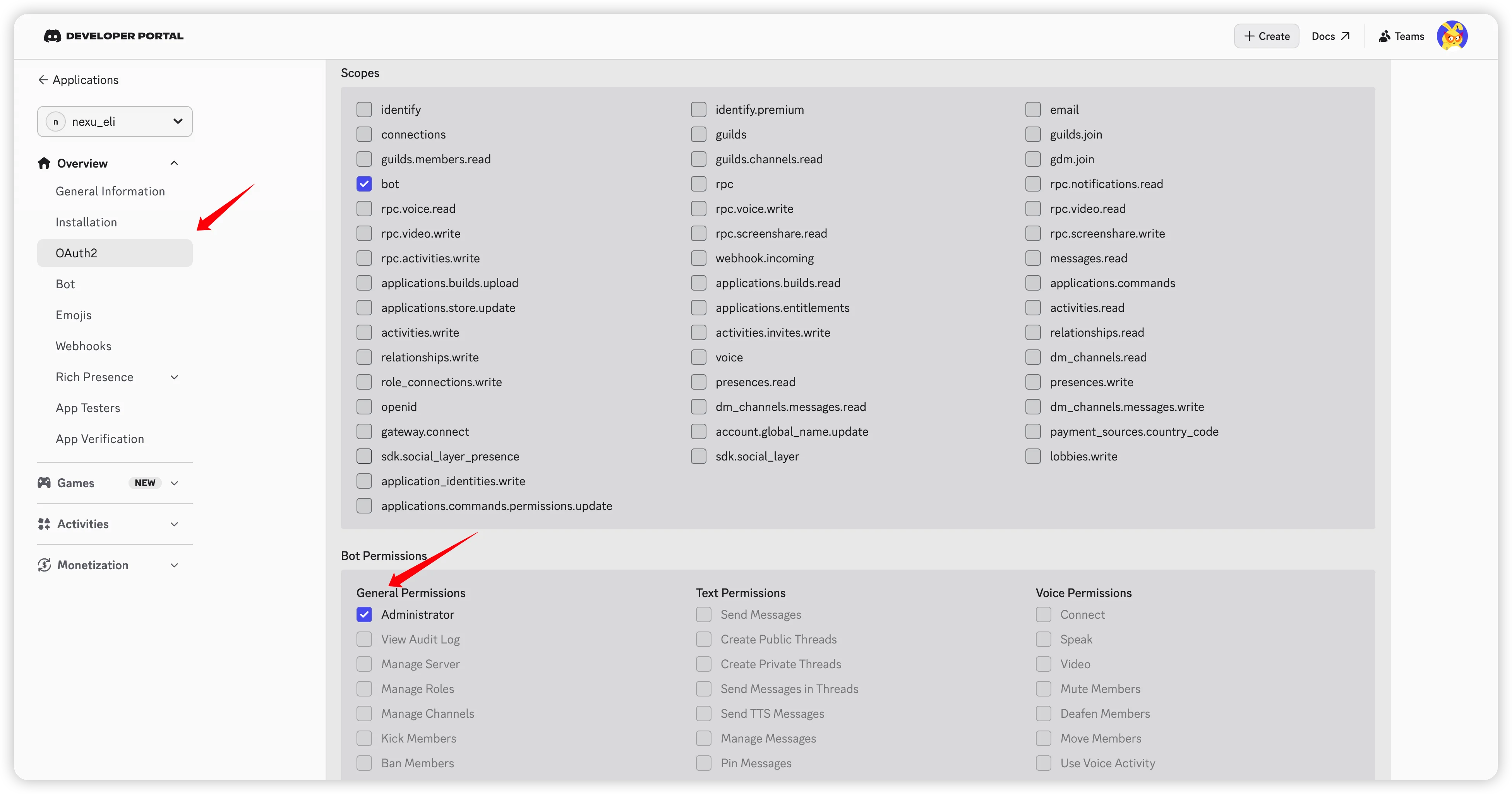
- In the left menu, go to "OAuth2". Under Scopes, select
bot. Under Bot Permissions, selectAdministrator.
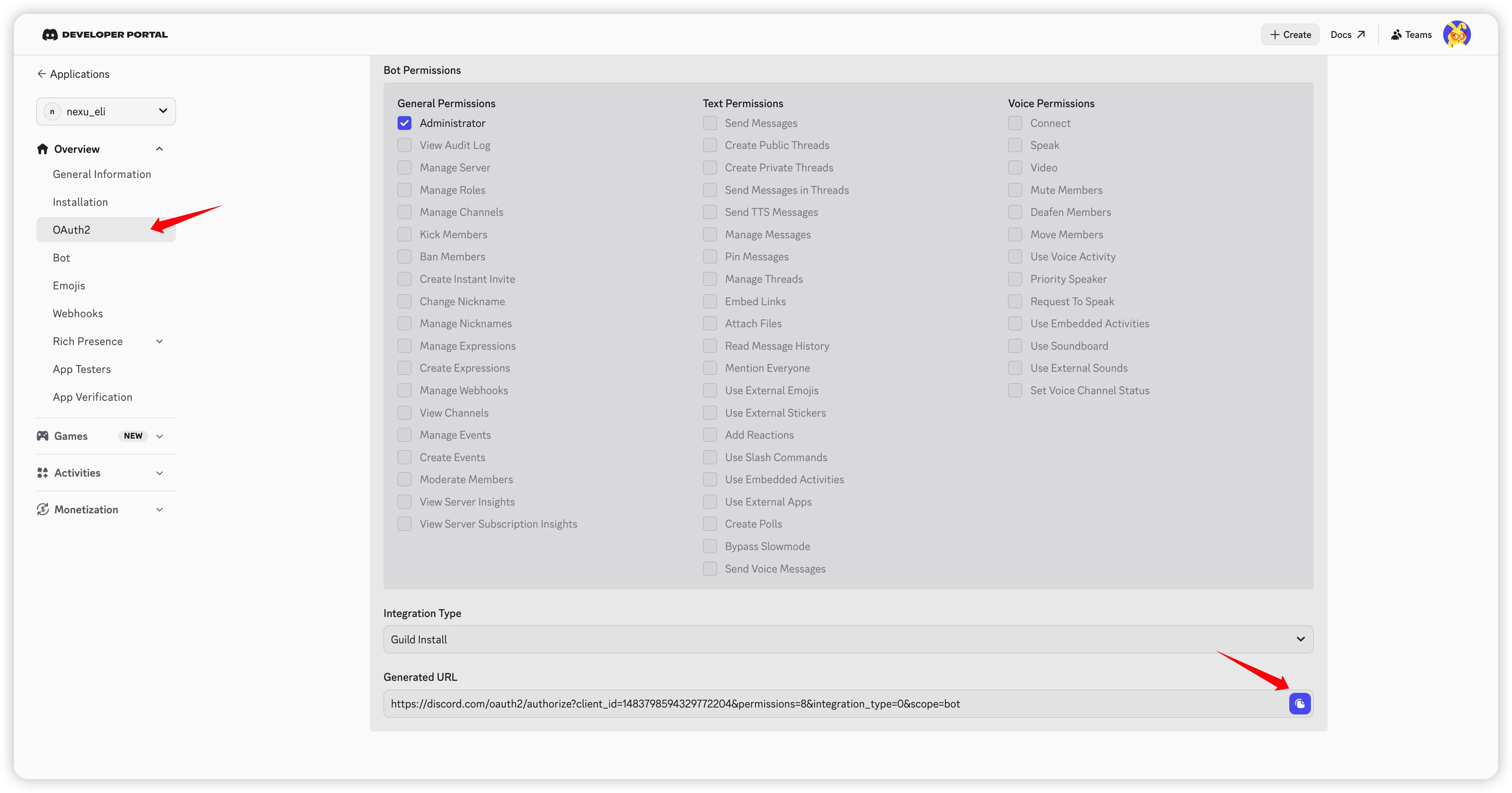
- Copy the generated URL at the bottom of the page and open it in your browser.
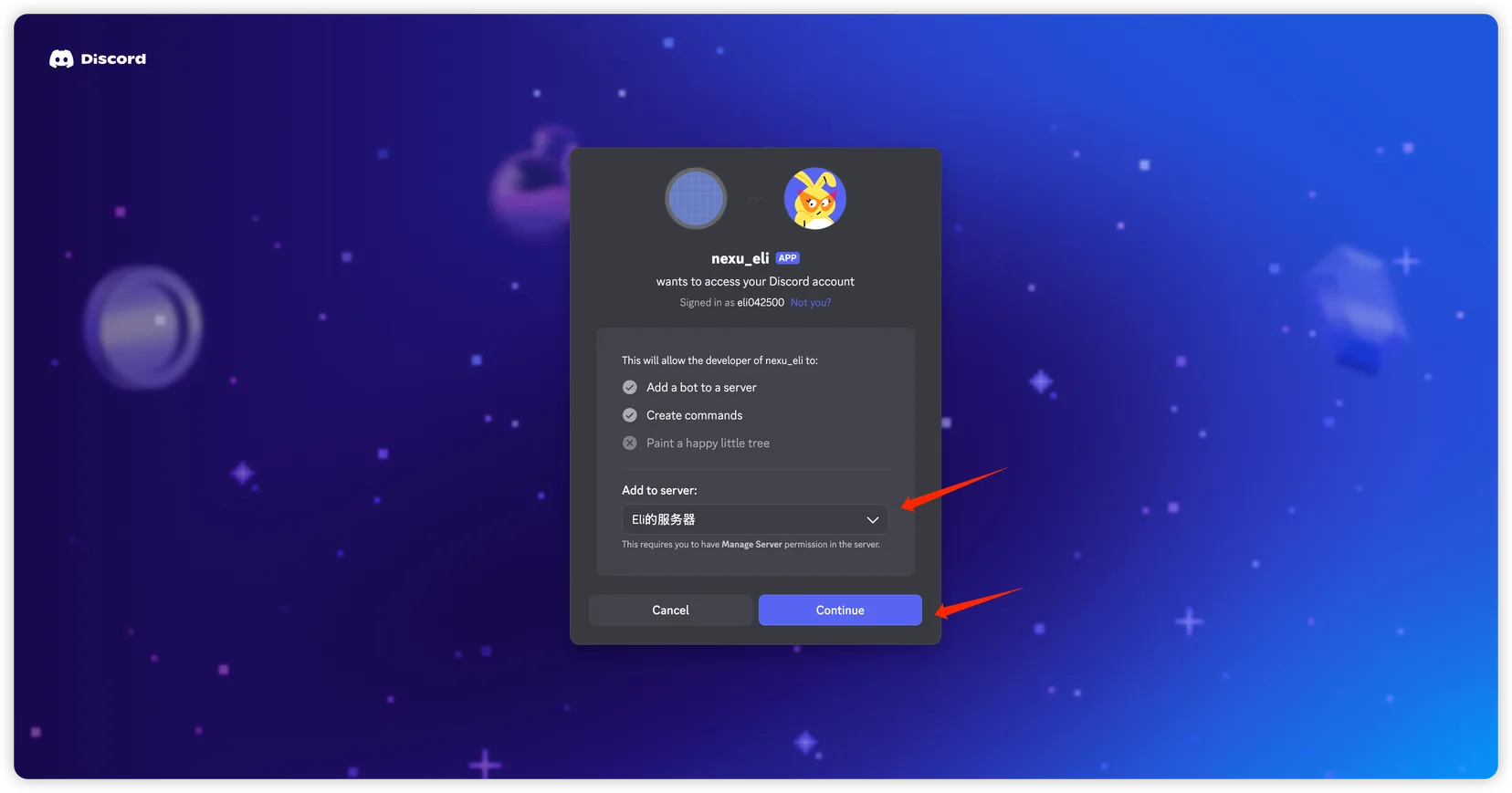
- Select your server and click "Continue".
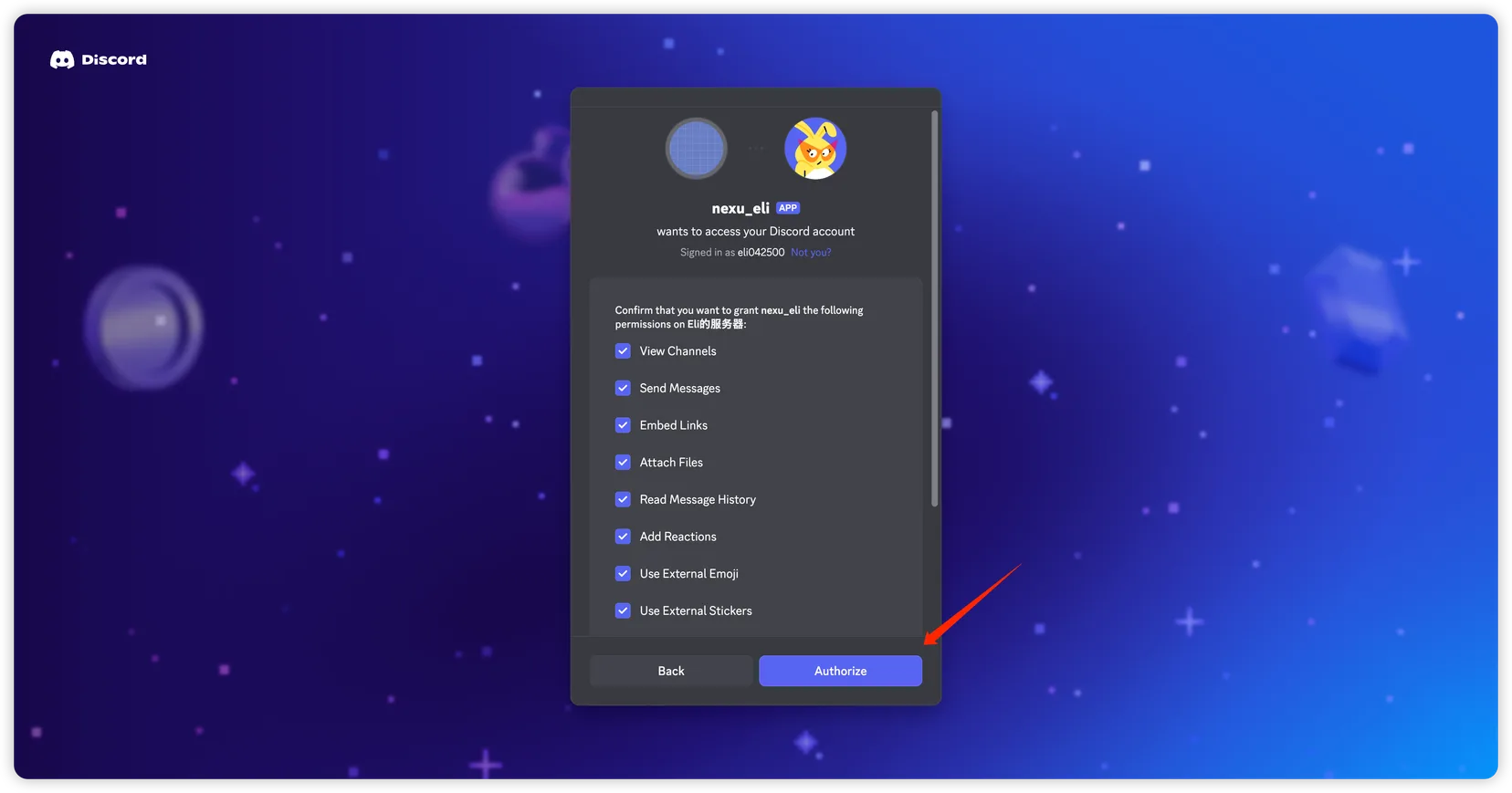
- Confirm the permissions and click "Authorize" to add the bot.
Step 4: Test
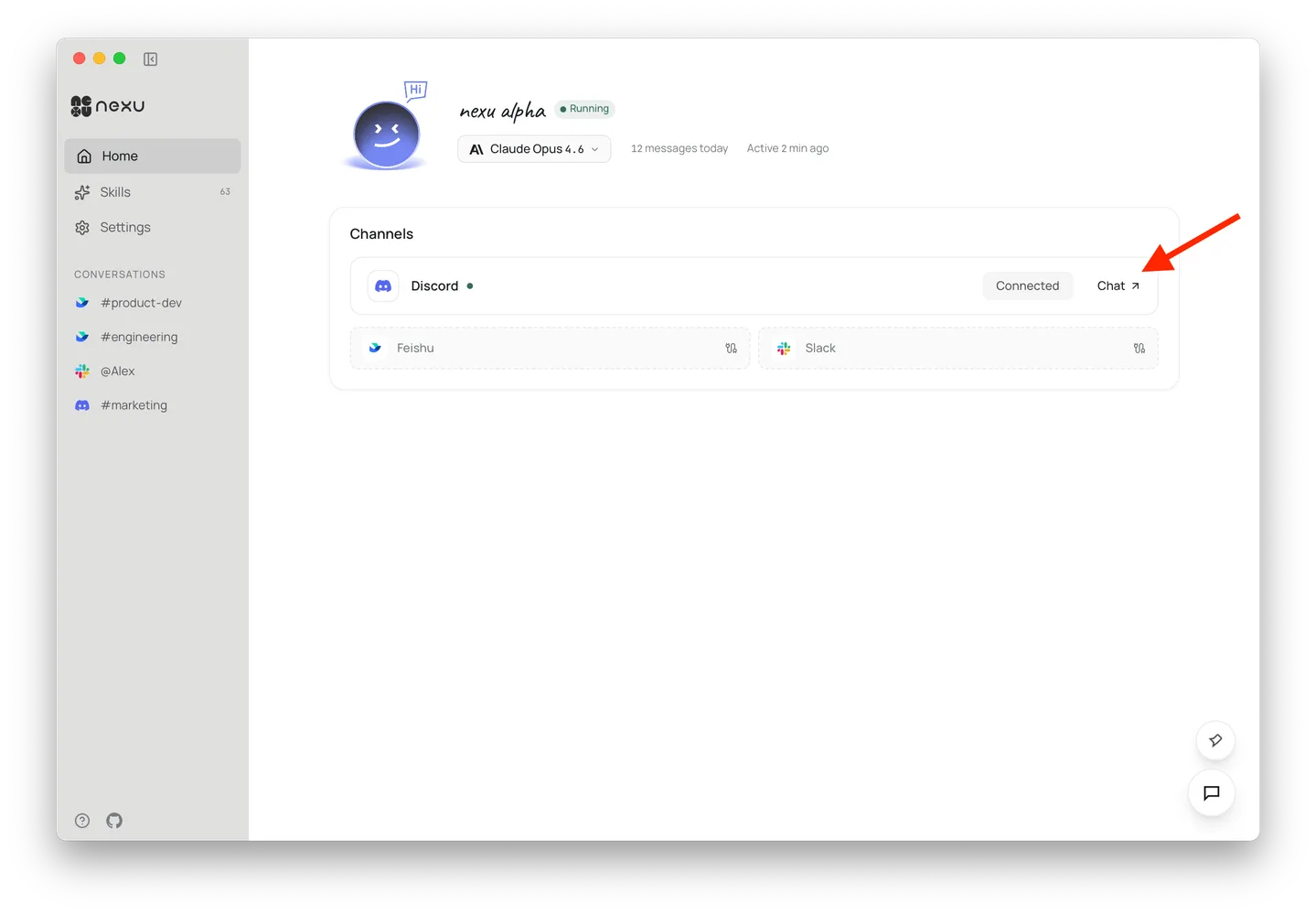
Once connected, click "Chat" in the nexu client to jump to Discord and chat with your bot 🎉
FAQ
Q: Do I need a public server?
No. nexu uses the Discord Gateway (WebSocket) — no public IP or callback URL required.
Q: The bot doesn't reply to messages?
Make sure you've enabled Message Content Intent, otherwise the bot cannot read message content.