

Telegram
All you need is a Bot Token to connect your Telegram bot to nexu.
Step 1: Create a Telegram bot
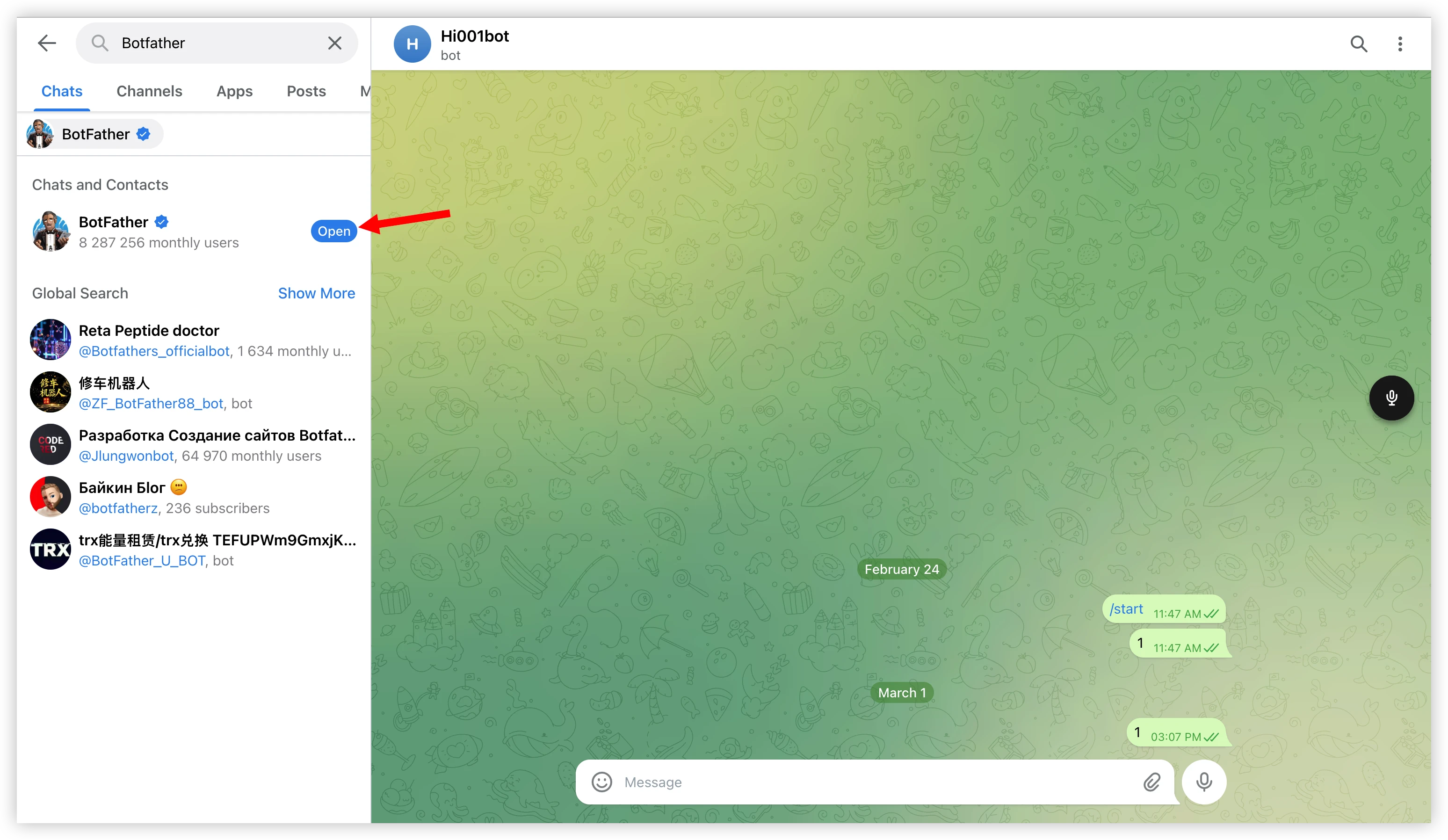
- Open Telegram, search for BotFather, and click "Open".
- Send the
/newbotcommand.
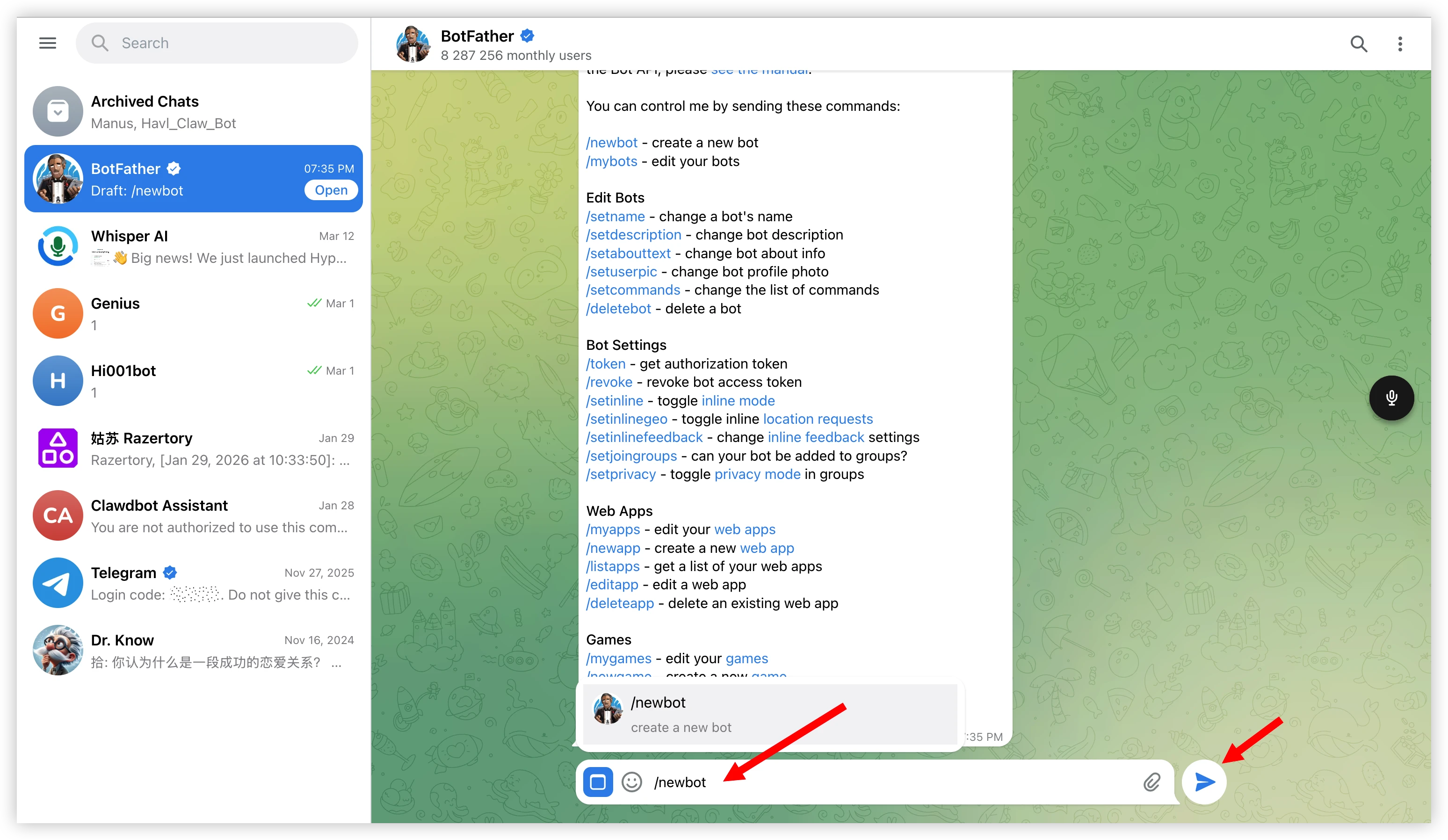
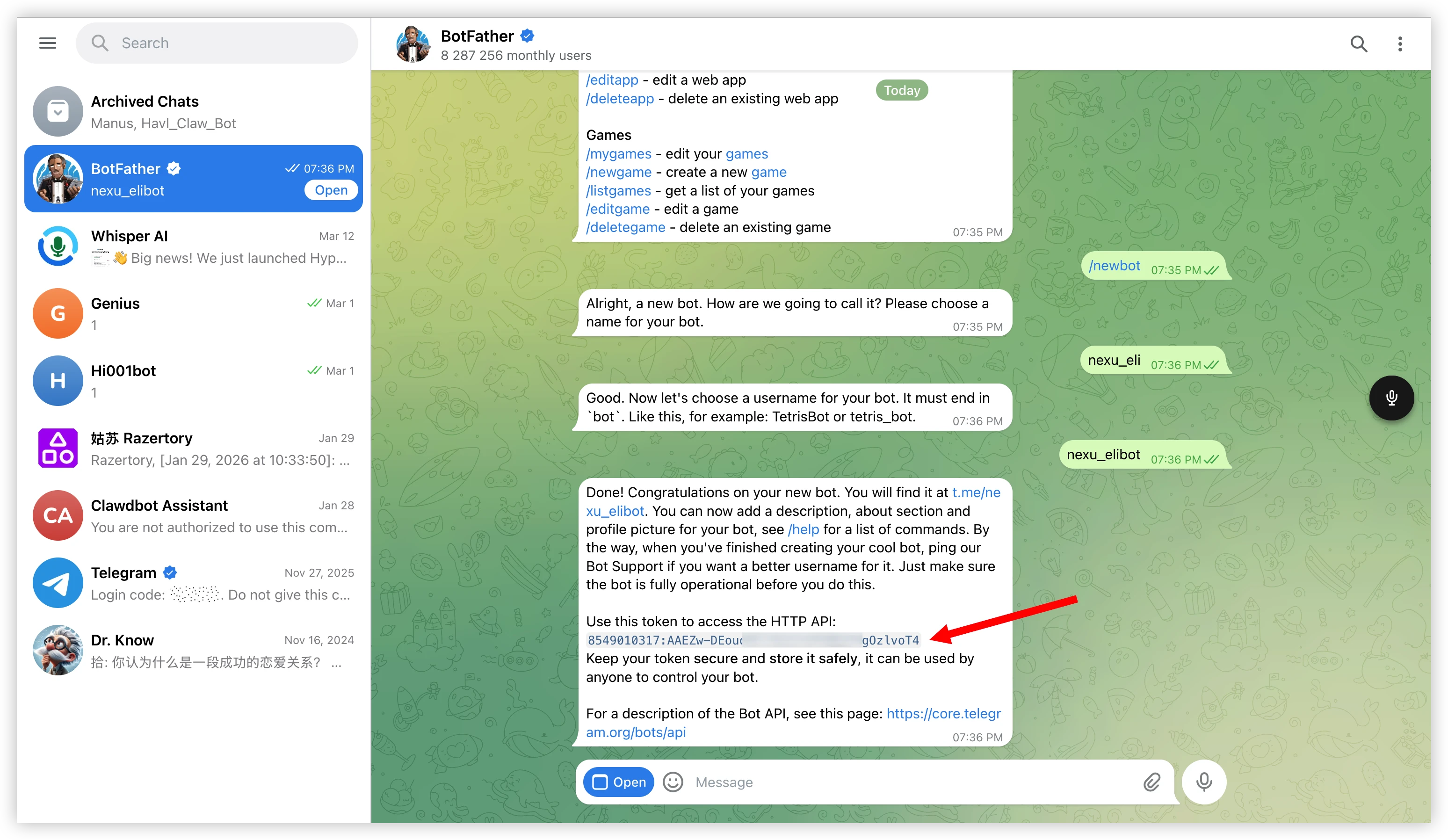
Follow the prompts and enter:
- Bot name (display name, e.g.
nexu_eli) - Bot username (must end with
bot, e.g.nexu_elibot)
- Bot name (display name, e.g.
Once created, BotFather will send you a message containing the Bot Token (format:
8549010317:AAEZw-DEou...). Copy and save it.
Step 2: Connect Telegram in nexu
- Open the nexu client and click Telegram in the "Choose a channel to get started" section.
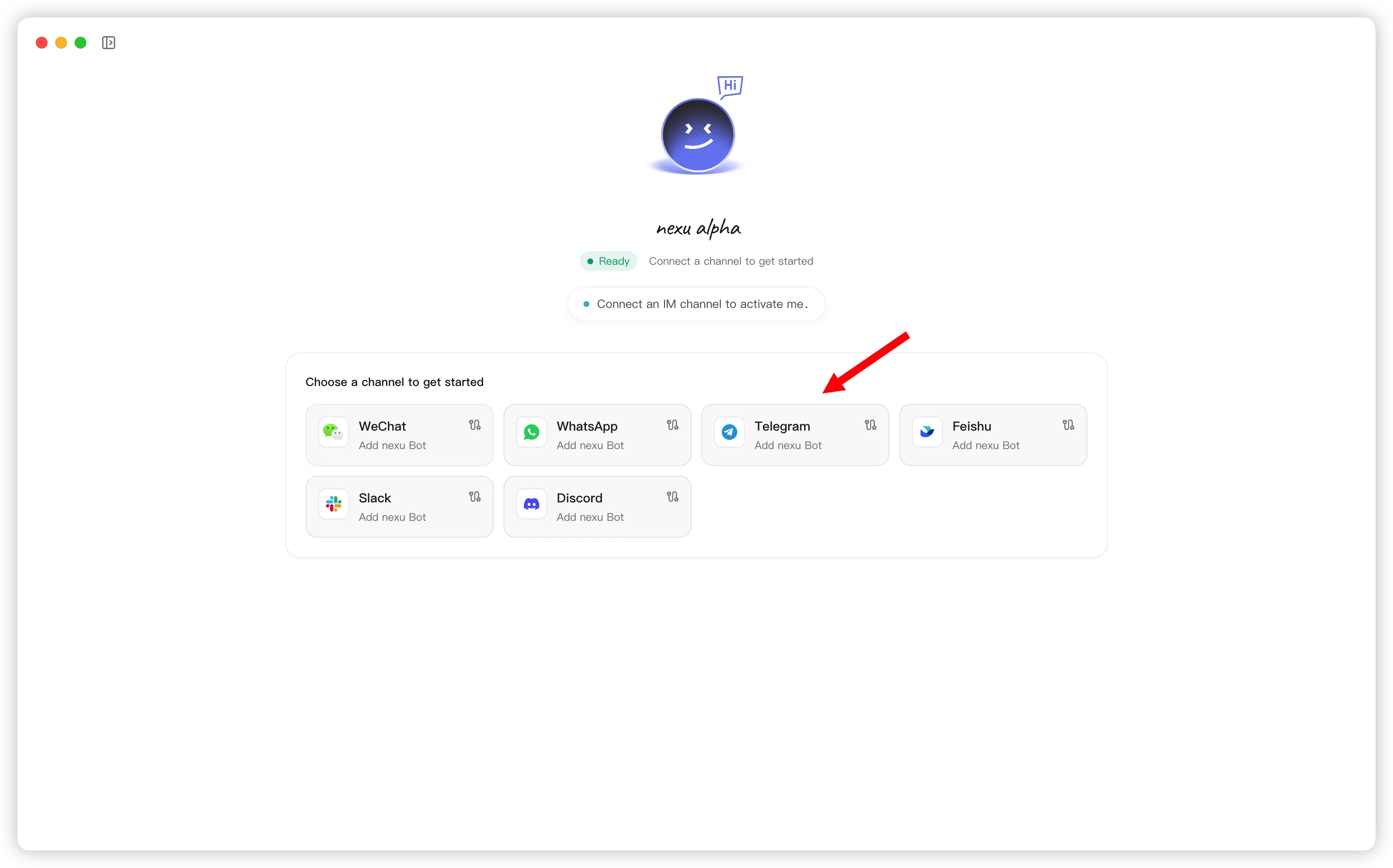
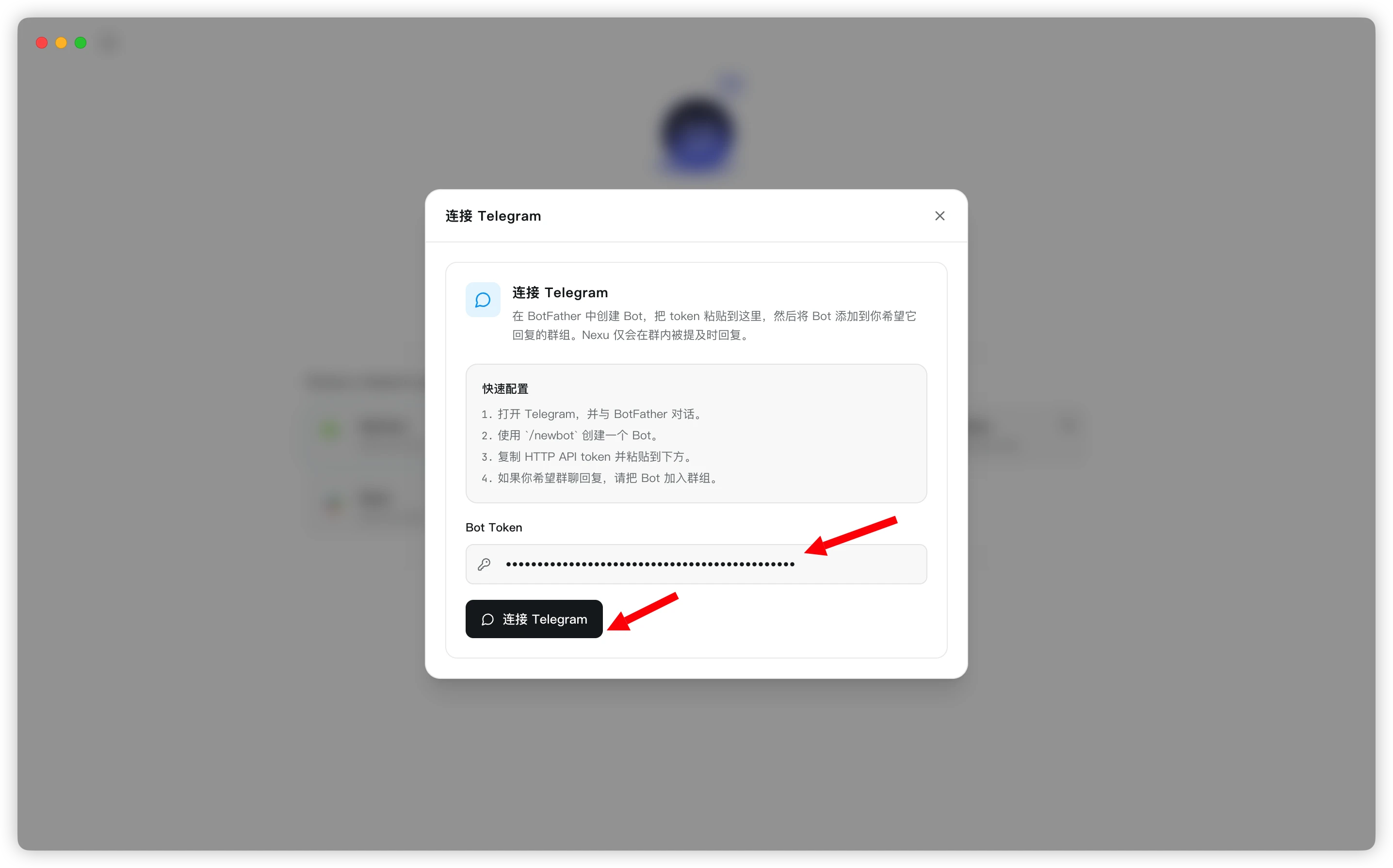
- In the "Connect Telegram" dialog, paste your Bot Token into the input field and click "Connect Telegram".
Step 3: Start chatting
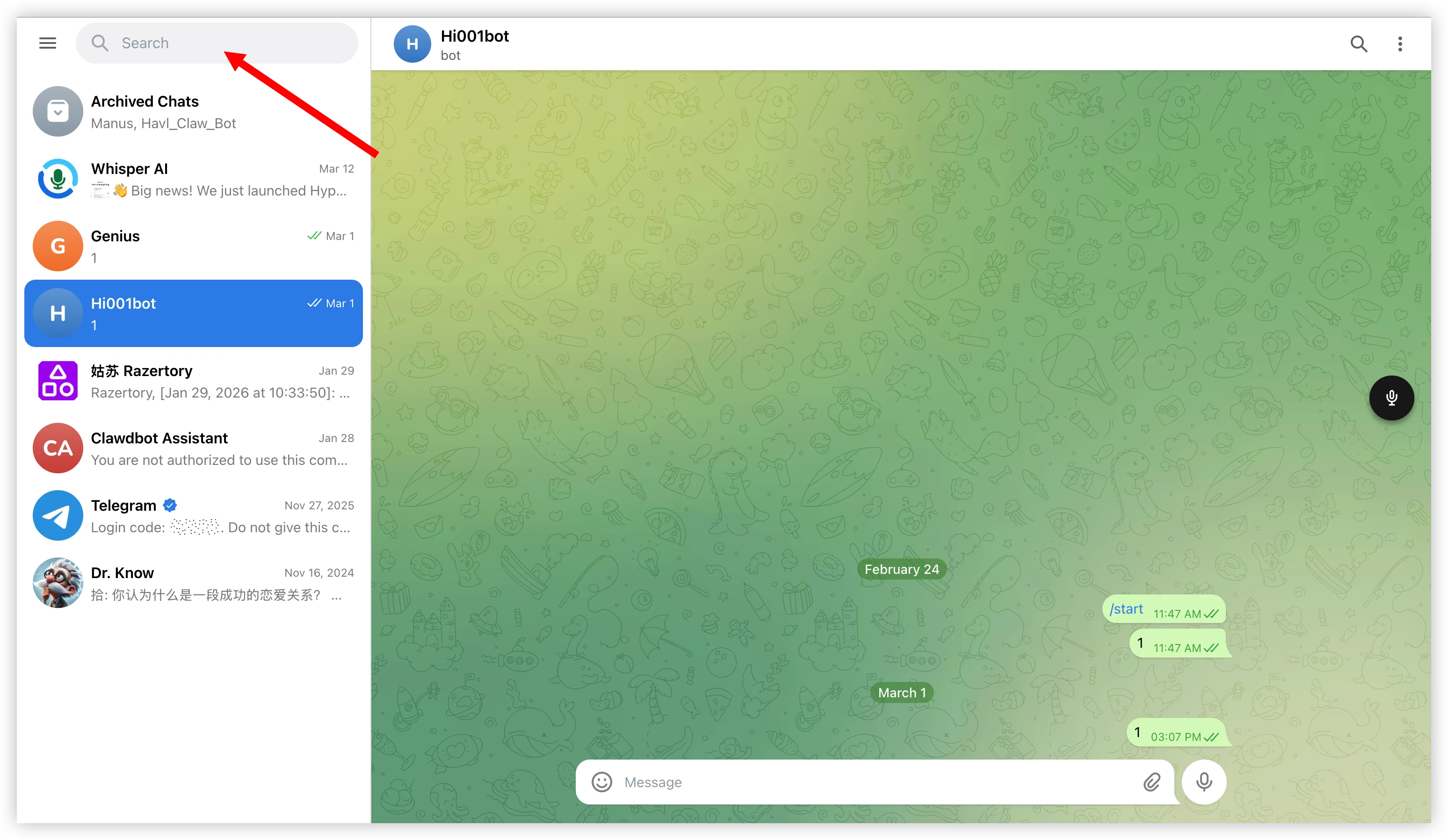
Once connected, search for your bot's username in Telegram and send /start to begin chatting with your OpenClaw Agent 🎉
FAQ
Q: Do I need a public server?
No. nexu uses Telegram Bot API's Long Polling mode — no public IP or Webhook URL required.
Q: The bot doesn't reply to messages?
Make sure the Bot Token is entered correctly and the nexu client is running.
Q: Can I use the bot in group chats?
Yes. Add the bot to a Telegram group and mention its username in a message to trigger a reply.
Q: What if my computer is off — can the Agent still reply?
The nexu client needs to be running. As long as nexu is running in the background (and your computer isn't asleep), the Agent will be online 24/7 to reply to Telegram messages.