

WeChat
With the nexu client, just one scan connects your personal WeChat to OpenClaw 🦞 ClawBot — the whole process takes less than 5 minutes.
Prerequisites
- WeChat ≥ 8.0.7 (minimum version supporting the ClawBot plugin)
- macOS 12+ (Apple Silicon)
Step 1: Update WeChat to 8.0.7
Open WeChat and update to version 8.0.7 or later. This is the minimum version that supports the ClawBot plugin.
Step 2: Download and install nexu
- Go to the nexu website and click "Download for Mac".

- Open the downloaded
.dmgfile and drag the Nexu icon into the Applications folder.
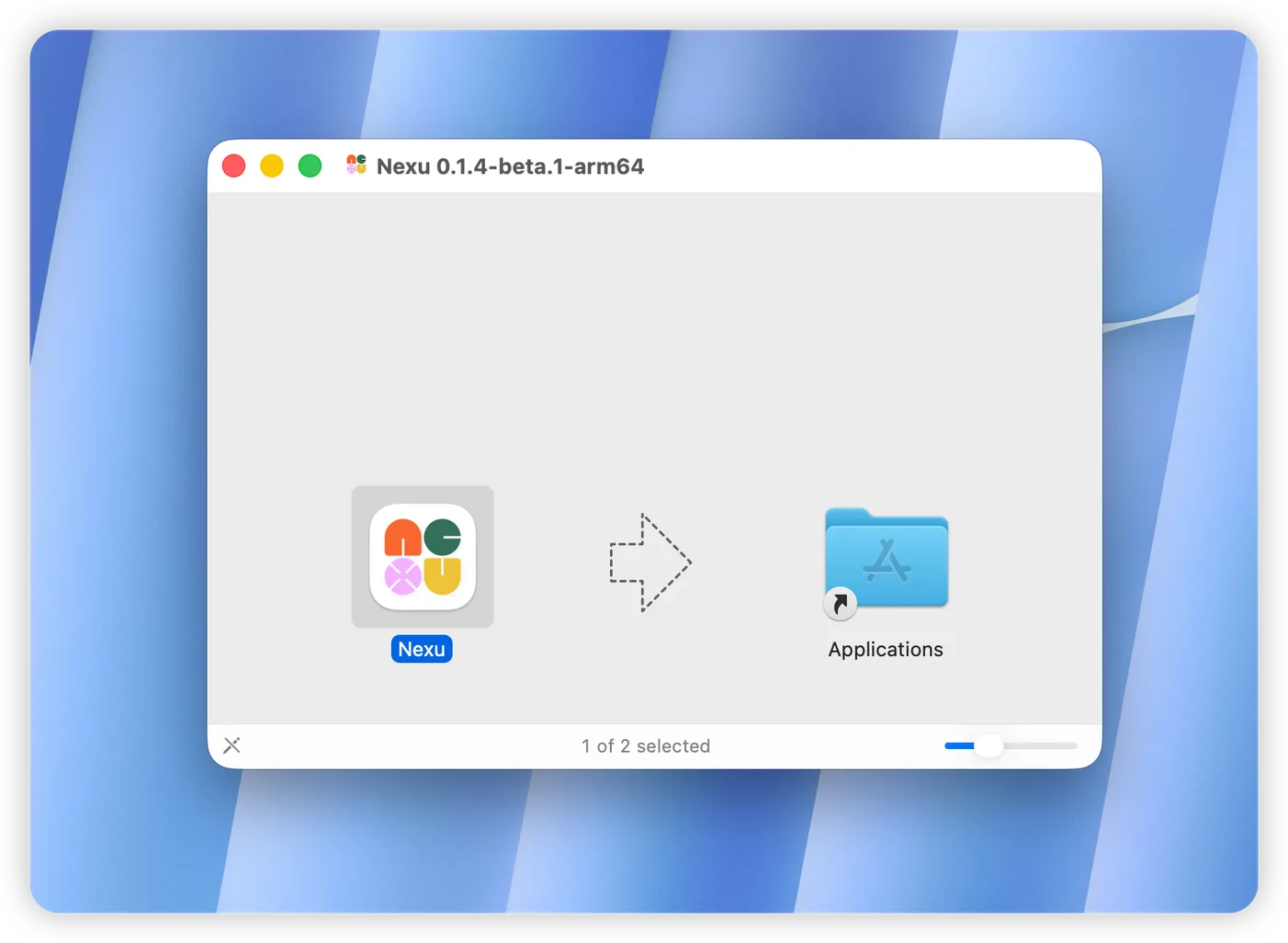
Step 3: Launch nexu and sign in
- Open nexu from Applications.
- On the welcome screen, choose a sign-in method:
- Use your Nexu account (recommended) — sign in with your nexu account to get free access to top models like Claude, GPT, and Gemini.
- Use your own models (BYOK) — enter your own API Key, no registration required.
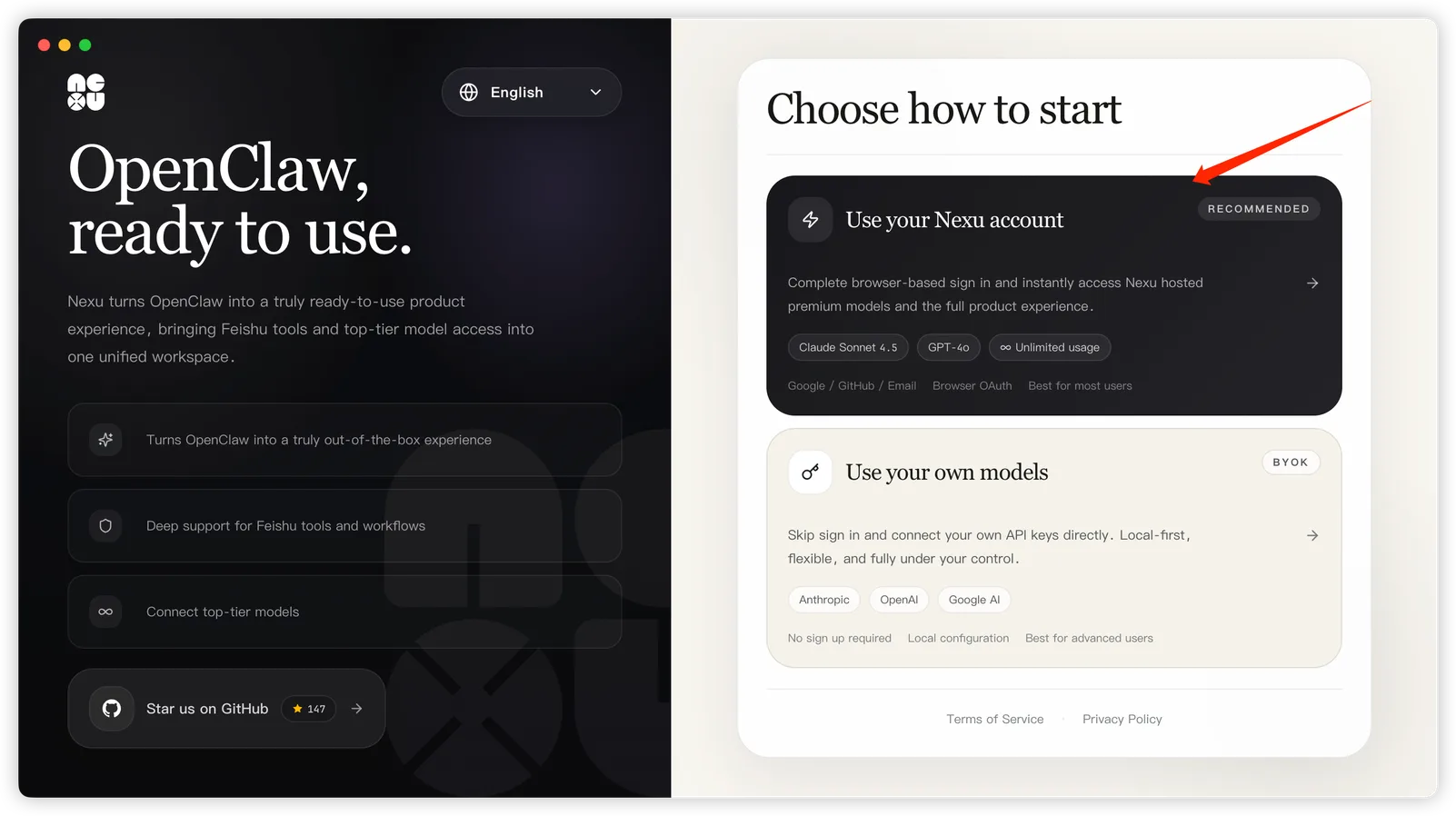
Step 4: Select the WeChat channel
After signing in, on the nexu home screen, click WeChat in the "Choose a channel to get started" section.
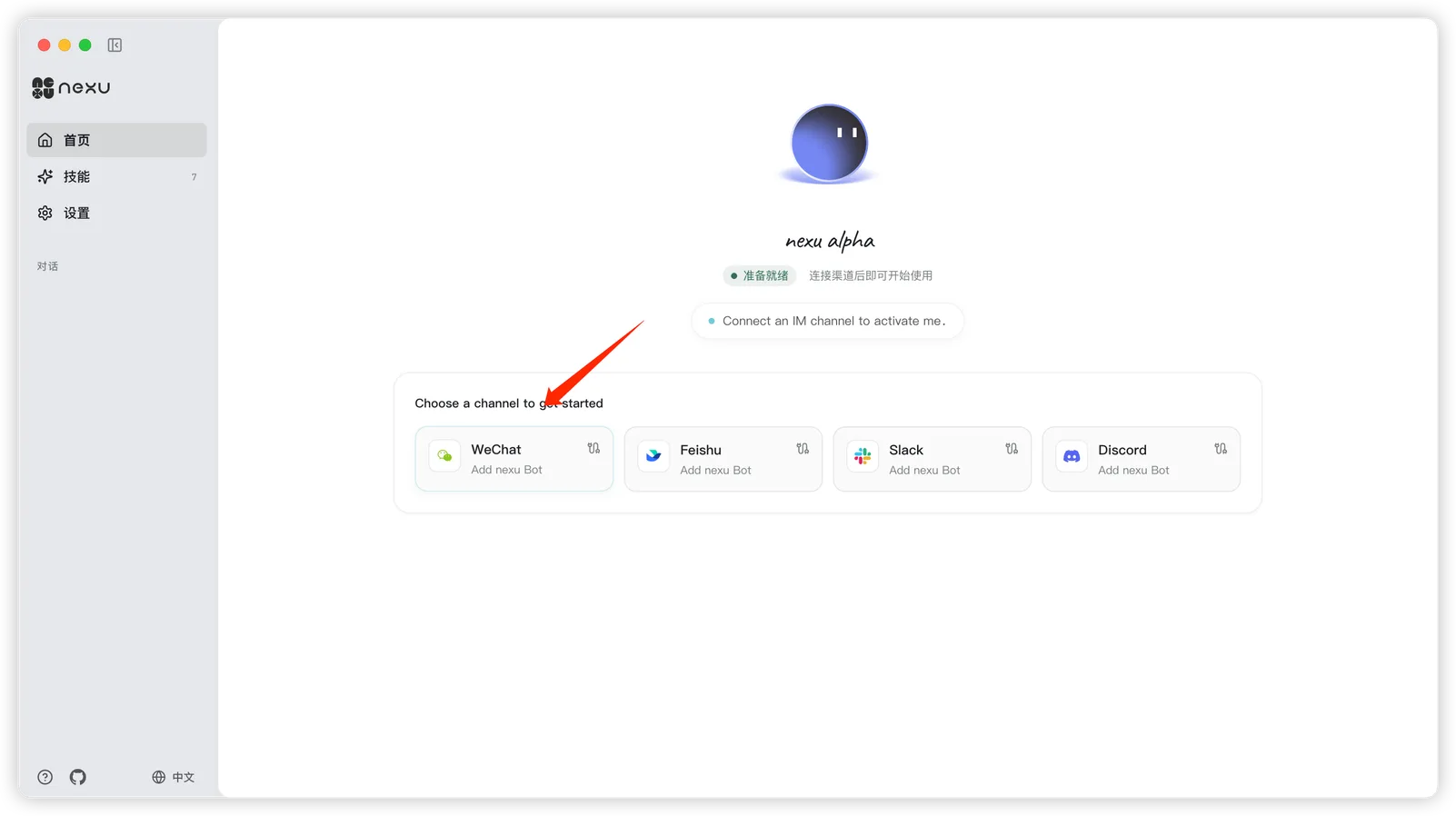
Step 5: Scan to connect WeChat
- When the "Connect WeChat" dialog appears, click the green "Scan to Connect" button.
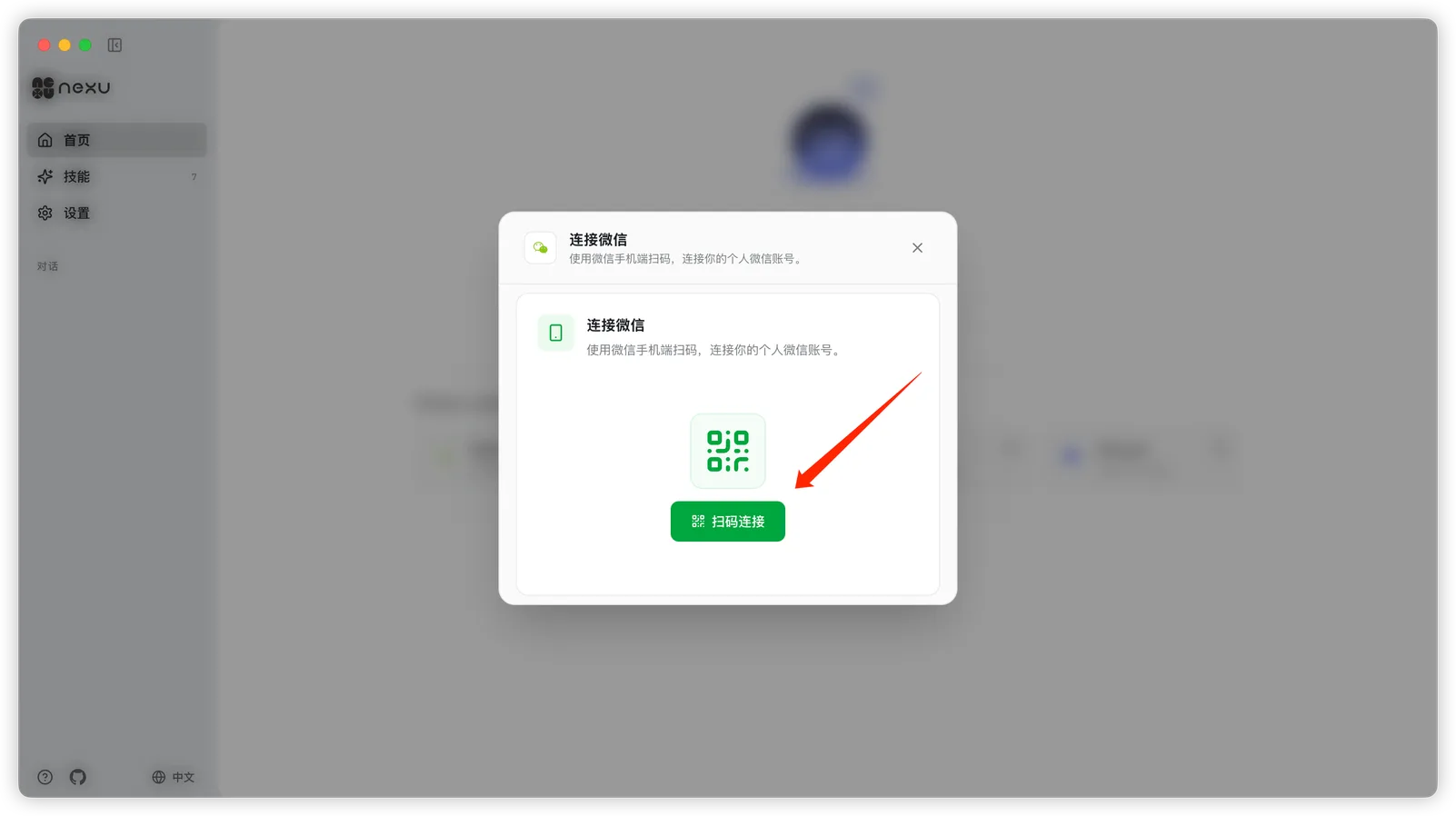
- nexu will automatically install the WeChat ClawBot plugin and generate a QR code. The screen shows "Waiting for scan…".
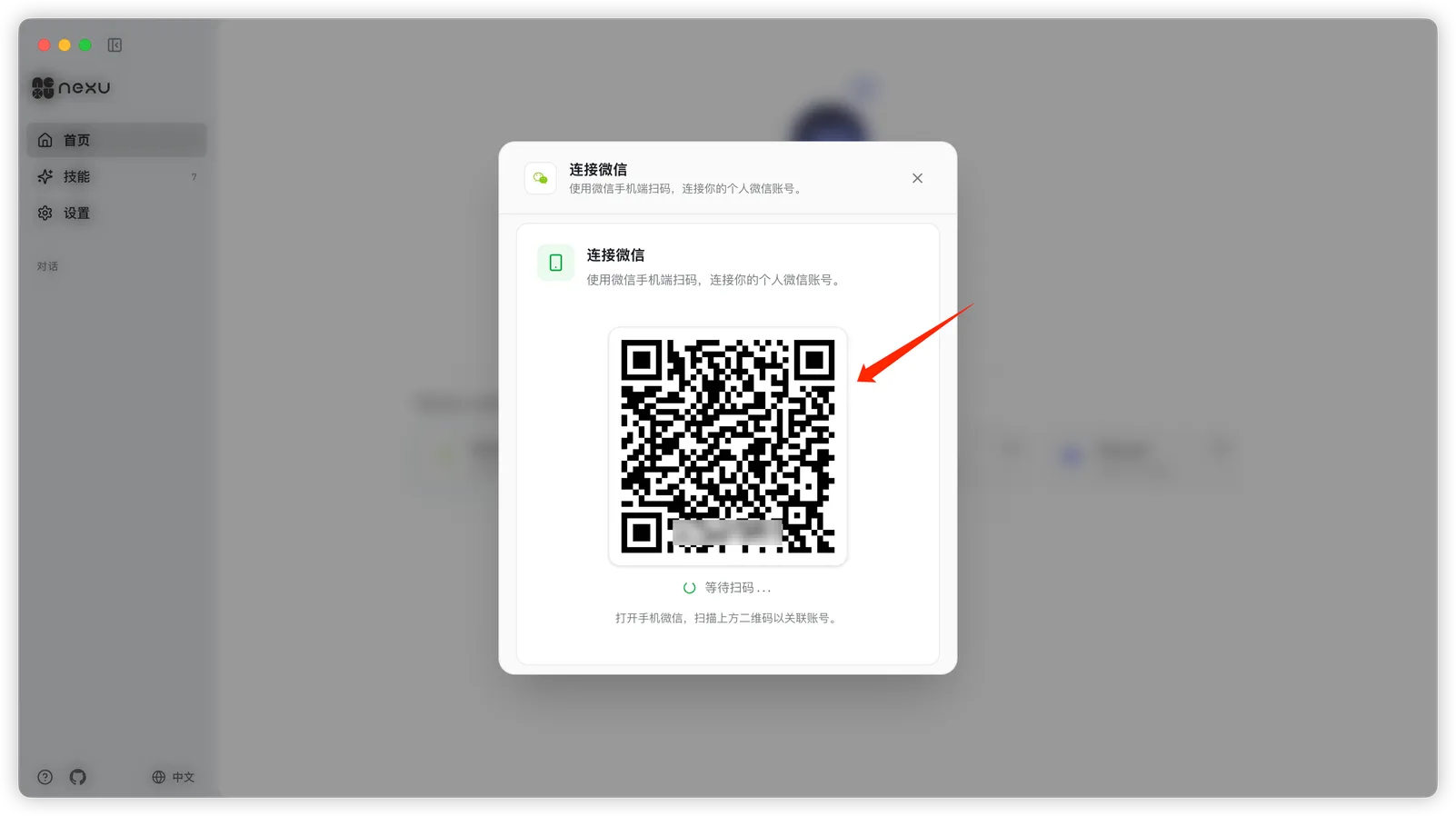
- Open WeChat on your phone, use "Scan" to scan the QR code on screen, then tap Confirm on your phone.
Step 6: Connected
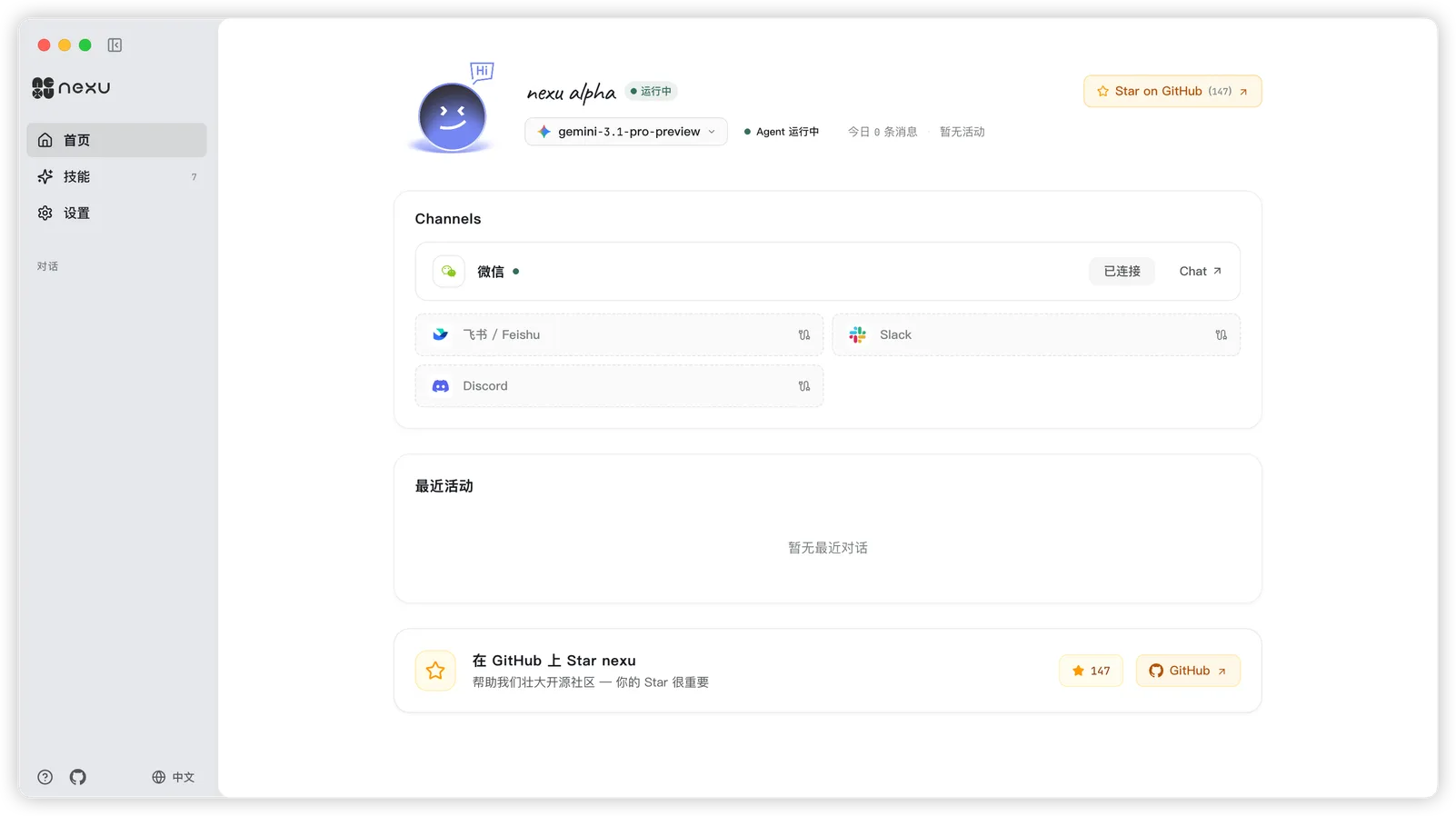
After confirming the scan, the WeChat channel on the nexu home screen shows a Connected status.
Step 7: Chat in WeChat
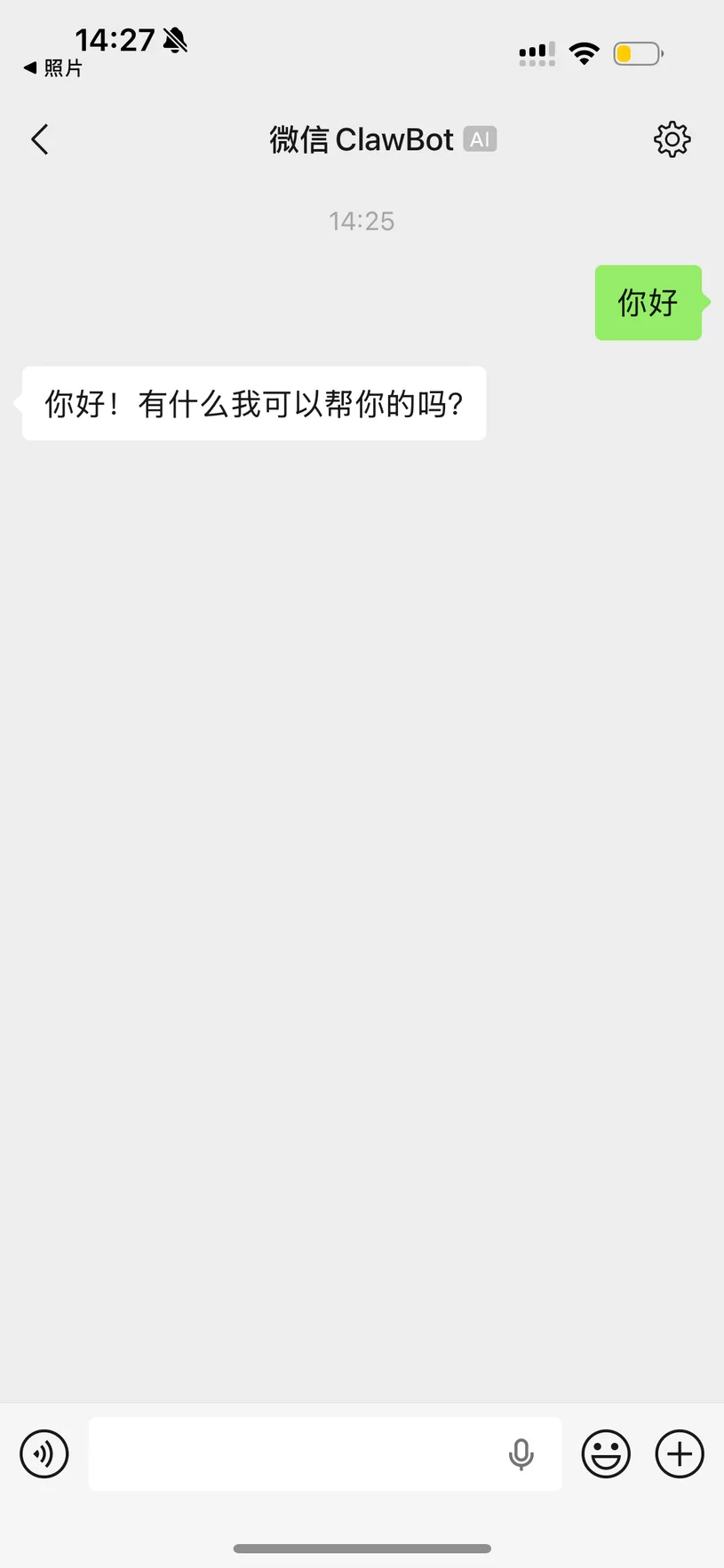
Open WeChat and you'll see a conversation named WeChat ClawBot. Send a message to start chatting with your OpenClaw Agent — available anytime on your phone, no desktop required.
FAQ
Q: Do I need a public server?
No. nexu connects directly through the WeChat ClawBot plugin — no public IP or callback URL required.
Q: Do I need WeChat Work or an Official Account?
No. WeChat 8.0.7 natively supports the ClawBot plugin. A personal WeChat account is all you need.
Q: Will my account get banned?
No. ClawBot is an official WeChat plugin and is fully compliant.
Q: Can the Agent reply when both my phone and computer are off?
The nexu client needs to stay running. As long as nexu is running in the background (and your computer is not asleep), the Agent can reply to WeChat messages 24/7.
Q: Can I connect multiple channels at the same time?
Yes. nexu supports connecting WeChat, Feishu, Slack, Discord, and more simultaneously.
Q: How do I switch AI models?
Use the model selector at the top of the nexu home screen to switch between Claude, GPT, Gemini, and other models with one click.